

 Back to Blog
By Tim Marshall |
January 30, 2026 |
How Microsoft SQL Server Standby database licensing works:
Recently, I've found myself providing guidance around SQL Server licensing requirements for standby databases, so I thought it would be a great time to summarise the information with you. Licensing can at times be confusing, but fortunately, Microsoft actually makes things much easier with its SQL Server 2022 Licensing Guide. So without further ado, here are the summarised SQL Server standby database requirements from the Microsoft Guide.
Key points for standby database licensing:
** All the corresponding excerpts are directly from the licensing guide
1. The primary SQL Server must be fully licensed.
2. Software Assurance (SA) must be active on the primary license. This provides additional rights such as version upgrades and passive standby rights:
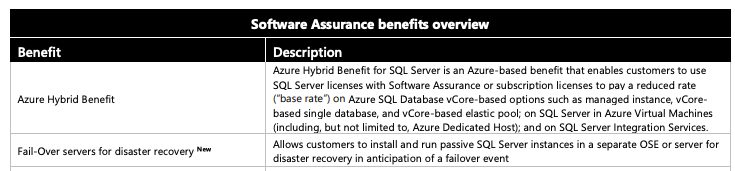
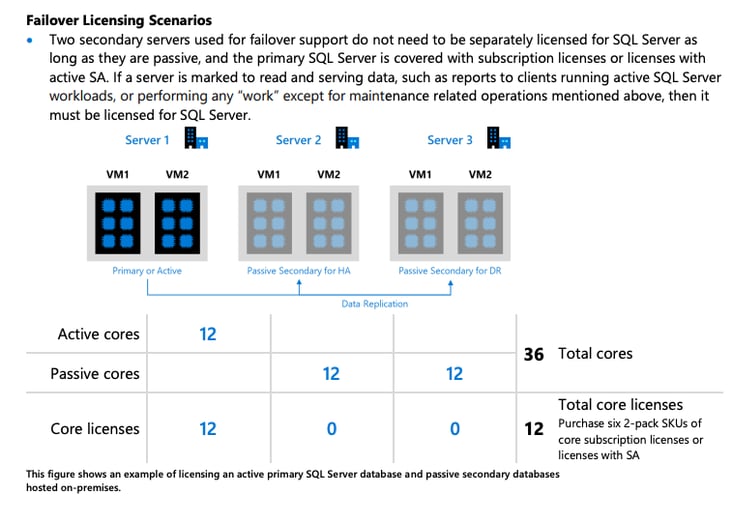
3. With active SA, you are entitled to deploy up to two free passive instances:
- One for high availability (HA): typically synchronous replication with automatic failover
-
One for disaster recovery (DR): typically asynchronous replication with manual failover.
-
Both passive servers must be equivalent in size (same number of licensed cores) to the primary.
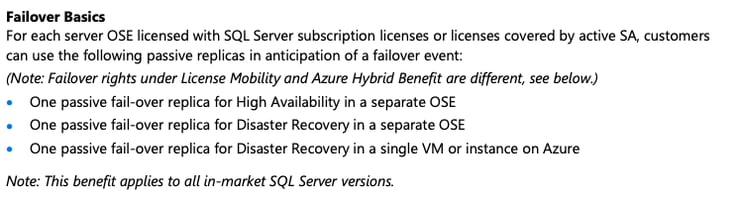
4. The standby (secondary) server must remain truly passive, i.e., not running queries, reporting, analytics, or serving user workloads.
-
Maintenance tasks such as log restores or backups are generally acceptable.
-
If the standby server begins serving read-only reporting or becomes active except for DR tests, it must then be fully licensed.
Microsoft vs Oracle licensing:
SQL Server's entitlement to set up passive standby databases when subscribed to Software Assurance is a BIG difference compared to Oracle database licensing. With Oracle, the primary AND standby databases must be licensed. So this is a great win for your budget!
How to set up a standby database:
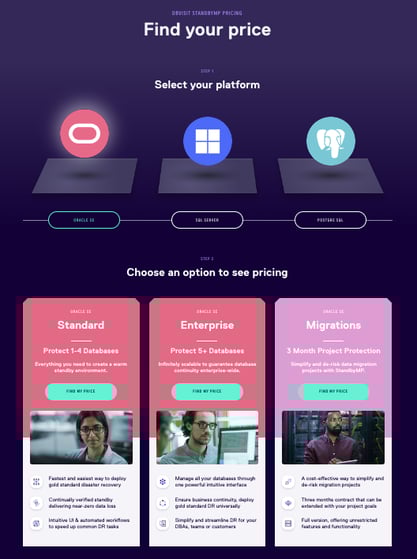
For those of you who don't have a standby database already set up, it can be done extremely easily with our product StandbyMP, AND cheaply without the need for Microsoft SQL Server licensing. Find out how cost-effective it can be with an instant quote from our interactive pricing calculator:
Please note: This is a general summary based on publicly available Microsoft SQL Server licensing documentation and community interpretations. It is not legal or licensing advice, and should not be relied upon for making licensing decisions. Microsoft’s licensing terms are subject to change and may vary depending on your agreement, environment, or geographic region.
You must confirm your specific licensing situation with Microsoft directly or via a licensed Microsoft reseller or licensing specialist before acting on this information.